Flexspring vs. PixieBrix: Two Ways to Stop Manual HR Data Entry (And Why You Might Need Both)
If you've been shopping the ADP Marketplace for ways to cut down on manual HR data work, you've probably run into Flexspring. They're hard to miss - they've won ADP's Top International Partner award, they have connectors for dozens of HR apps, and they've built 3,000+ integrations for companies ranging from mid-market to Fortune 500.
But if you're still manually copying data between tabs, re-entering new hire info, or walking recruiters through a six-step process in ADP every time someone gets hired - even after you've set up an integration - you're looking at a different problem than the one Flexspring solves.
That's where PixieBrix comes in. And understanding the difference between what these two tools do is one of the most useful things an HR ops or HR tech leader can do before spending another dollar on automation.
What Flexspring Actually Does
Flexspring is an HR iPaaS (Integration Platform as a Service). Their specialty is connecting two HR or business systems so data flows between them automatically, without anyone having to export a CSV, reformat it, and upload it somewhere else.

A classic Flexspring use case: your company uses ADP for payroll and Greenhouse for recruiting. When a candidate gets hired in Greenhouse, Flexspring automatically creates their record in ADP - name, role, start date, salary, all of it - without your HR team touching it. The integration runs in the background, continuously, like plumbing.

The way Flexspring builds these connectors is also distinctive. Rather than offering a generic drag-and-drop interface you configure yourself, they assign data integration consultants who custom-map the integration to your specific workflows. You don't need internal IT resources; Flexspring's team handles the setup and ongoing maintenance.
Their results are real. One customer saved over 20 hours per month on ADP-to-NetSuite data entry. Another saved 40 hours a month syncing payroll data to their ERP. When your integration is running, it genuinely eliminates a category of manual work.
The best fit for Flexspring: You have two (or more) specific systems that need to stay in sync, you have a clear and relatively stable data mapping between them, and you want a managed service that handles the technical complexity for you.
What PixieBrix Actually Does
PixieBrix is a browser-based workflow automation platform. It lives as a Chrome extension and lets you - or your team - customize and automate what happens inside the web apps you're already using, without changing the apps themselves.
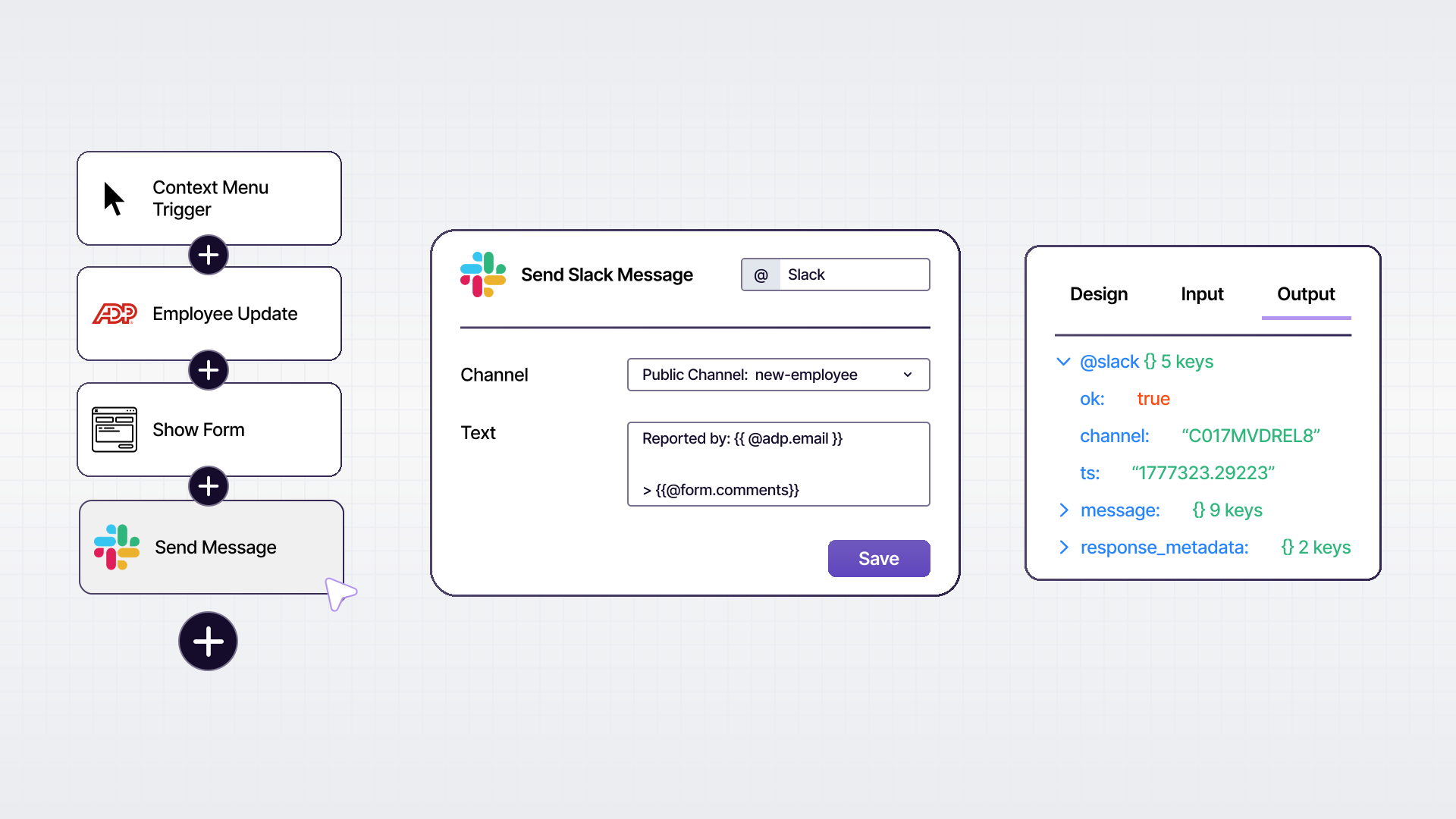
Think of it this way: Flexspring works between systems, in the background. PixieBrix works inside the browser, in the foreground, alongside the person doing the work.
With PixieBrix, you can:
- Add a button to your ADP or Paychex interface that auto-fills a form using data pulled from another tab
- Surface a candidate's full history from your ATS in a sidebar panel while you're looking at their record in ADP
- Build a guided onboarding checklist that walks an HR coordinator through each step, right inside the browser
- Use AI to summarize a job description, draft offer letter language, or flag data inconsistencies - all without leaving the page
- Automatically copy updated information across multiple open tabs when a record changes
None of this requires a Flexspring connector, an API agreement, or an IT project. A low-code workflow is built once using PixieBrix's point-and-click editor, deployed to the team in a few clicks, and runs entirely in the browser.
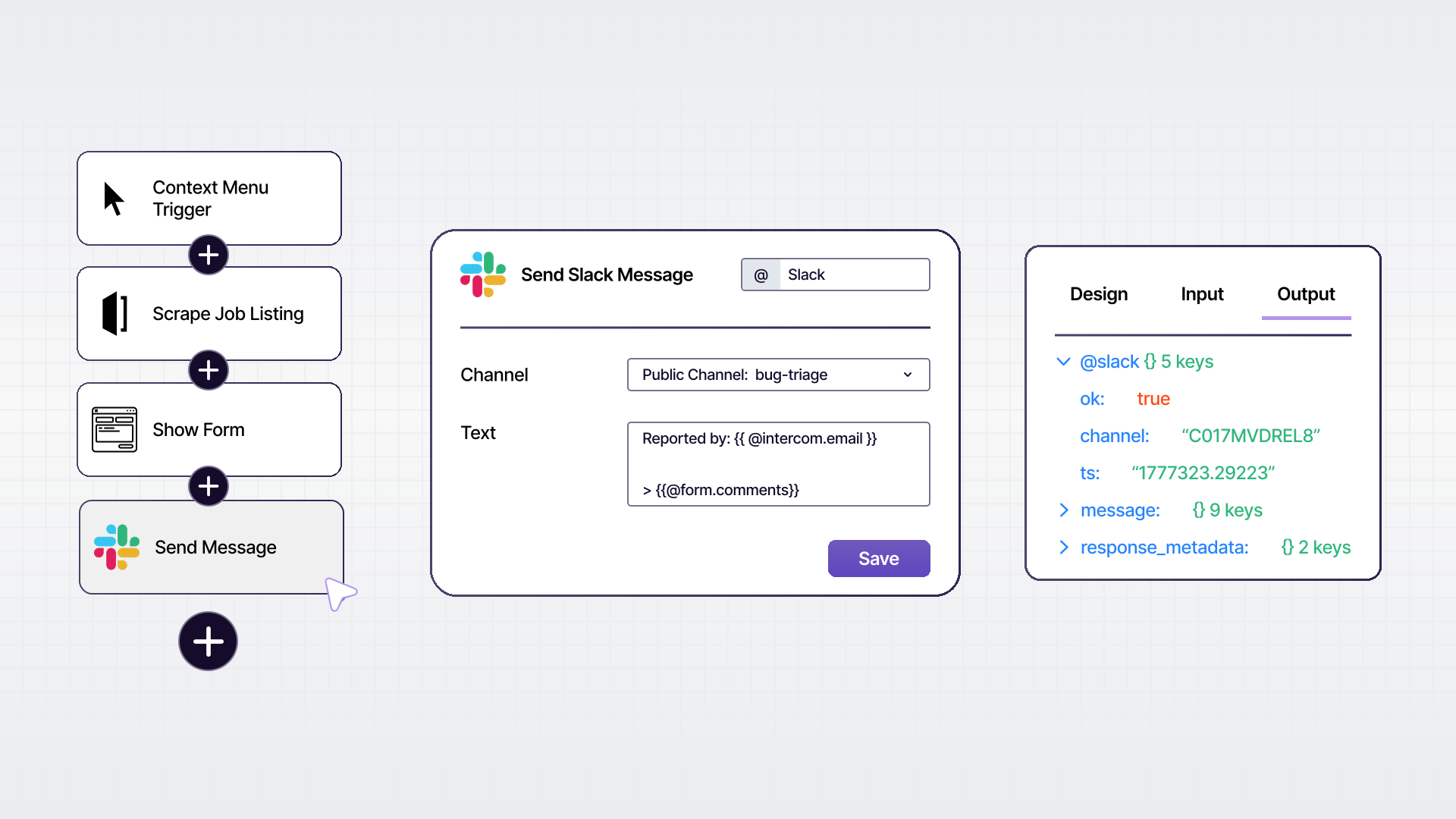
The best fit for PixieBrix: Your team members are doing repetitive manual work inside web apps - clicking through screens, copying data between tabs, re-entering information, following complex processes from memory - and you want to reduce that friction without replacing the tools they already use.
The Core Difference: Backend vs. Frontline
| Flexspring | PixieBrix | |
|---|---|---|
| Where it works | Between systems, in the background | In the browser, with the user |
| Who it helps | The system (by keeping records in sync) | The person (by reducing manual steps in the UI) |
| Setup | Consultant-led, managed service | Low-code, self-service |
| Best for | System-to-system data sync | Attended workflow automation |
| Requires IT? | No (Flexspring handles it) | No (HR ops can build mods themselves) |
| Changes app interfaces? | No | Yes - adds buttons, panels, checklists, AI |
| Works for custom workflows? | Catalog of 40+ specific app pairs | Any web-based app or tool |
Why You Might Actually Need Both
Here's the thing: these tools don't cancel each other out. They solve problems that live at different layers.
Imagine your company uses ADP for payroll and Greenhouse for recruiting. You set up a Flexspring integration so that accepted offers in Greenhouse automatically create new hire records in ADP. That's a legitimate time-saver - your payroll team no longer has to manually re-enter that data.
But now think about what still happens:
- Your HR coordinator still has to open ADP, verify the new hire's record, fill out a few additional fields that didn't transfer, and send a welcome email
- Your recruiter still has to navigate to Greenhouse, update the candidate stage, send a disposition note, and update your headcount tracker in a spreadsheet
- Your payroll manager still has to cross-reference three tabs every time someone asks about a new hire's status
Flexspring handled the sync. But the human-in-the-loop work - the clicking, the verifying, the navigating, the cross-referencing - is still there. That's the layer PixieBrix addresses.
In a mature HR tech stack, backend data sync (Flexspring) and frontline workflow automation (PixieBrix) work together: one makes sure the data is in the right place, the other makes sure the people who need that data can work with it efficiently.
How to Decide Where to Start
If your biggest pain point is data living in silos - your systems don't talk to each other, records are duplicated or out of sync, people are exporting CSVs to move data around - start with a data integration tool like Flexspring.
If your biggest pain point is people doing repetitive work inside tools that already have the data - clicking through the same screens, copy-pasting between tabs, following complex processes from memory - start with PixieBrix.
And if both are true? You're not alone. Most HR teams at the 200-2,000 employee range are dealing with both. The good news is that solving one doesn't require ripping out the other.
Ready to See What PixieBrix Can Do for Your ADP Workflows?
PixieBrix works on top of ADP, Paychex, and dozens of other HR tools - no connector required, no IT project needed. You can start automating the manual steps your team takes inside these tools today.