AI Workflow Automation Tools for Technical Teams in 2026
By 2026, most technical teams are no longer experimenting with AI. They’ve already wired LLM APIs into scripts, built Slack bots, connected automation tools to OpenAI, and tested copilots across development environments.
And yet, many teams still feel operational friction.
Support engineers still rewrite summaries. RevOps teams still clean up CRM data. Product teams still copy context between tools. Backend automation runs quietly in the background, but the day-to-day workflow hasn’t meaningfully improved.
At PixieBrix, we see this pattern repeatedly: AI gets added to systems, but not to the workflow itself. The model runs, the webhook fires, the data moves - and the human process stays messy.
The real problem is not access to AI. It’s where AI is embedded. If you’re evaluating AI workflow automation tools, the real question is not which platform has the most integrations. It’s where automation runs and how it interacts with human decision-making.
Most tools in this space operate at one of three layers: backend orchestration, developer assistance, or in-application workflow automation. Each solves a different class of problem. Understanding that difference is what separates experimentation from operational impact.
Layer 1: Backend AI Workflow Orchestration
Backend workflow platforms are the most familiar category. They connect APIs, listen for triggers, and execute logic behind the scenes. In recent years, they have added AI steps so that language models can be inserted into those flows.
n8n
n8n remains one of the most flexible orchestration tools available, especially for technical teams that prefer open-source software and self-hosting. Its node-based workflow builder allows you to call LLM APIs, transform outputs, branch logic, and integrate with nearly any system that exposes an API.
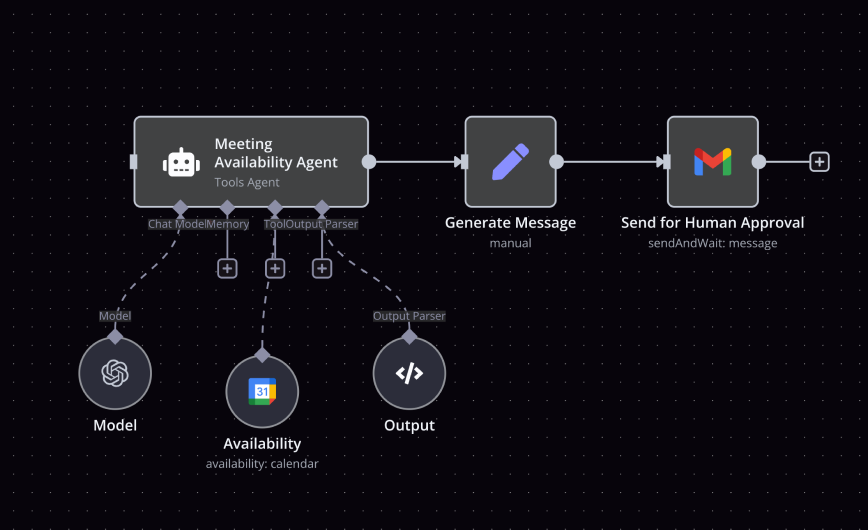
The tradeoff is operational overhead. As workflows grow, maintaining reliability, observability, and governance can require real engineering discipline.
Best for: teams that want control, flexibility, and backend AI pipelines with minimal vendor lock-in.
Zapier and Make offer similar orchestration capabilities in hosted environments. Zapier emphasizes ease of use and breadth of integrations. Make provides deeper branching logic and more granular data manipulation. Both allow AI steps inside workflows, enabling things like summarizing text before sending it to another system.
Zapier
Zapier is the most accessible backend automation platform. It abstracts infrastructure entirely and supports thousands of SaaS integrations. Its AI steps allow you to summarize, classify, or generate content inside workflow chains without writing code. It is not as customizable as n8n, but it dramatically lowers the barrier to deployment.
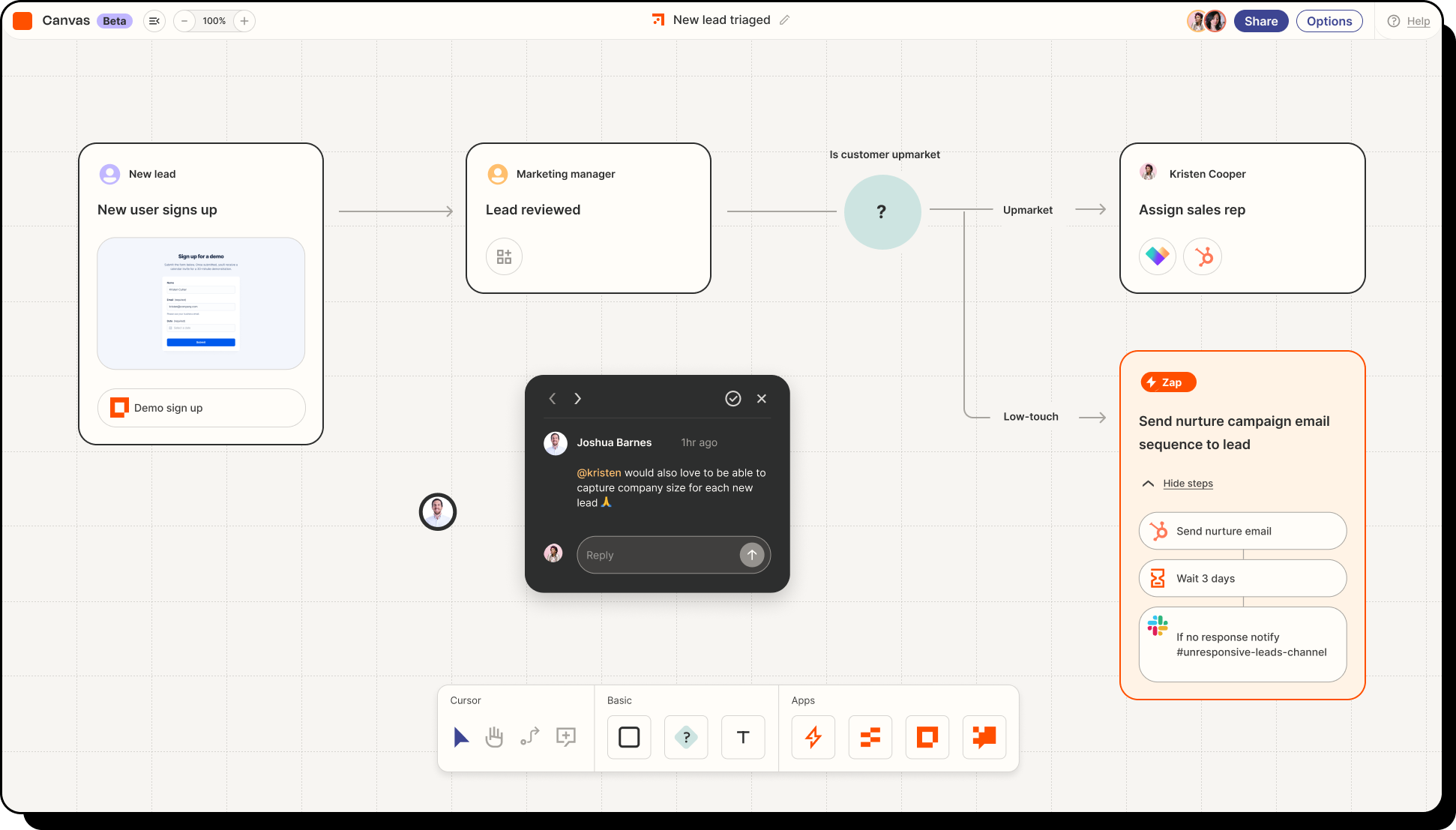
Best for: cross-functional teams that need AI-enabled automation without engineering overhead.
Make
Make offers more advanced branching and data transformation logic than Zapier while remaining fully hosted. It appeals to technically inclined operators who want more visual control without self-hosting. Make’s AI integrations allow complex multi-step AI workflows with conditional logic.
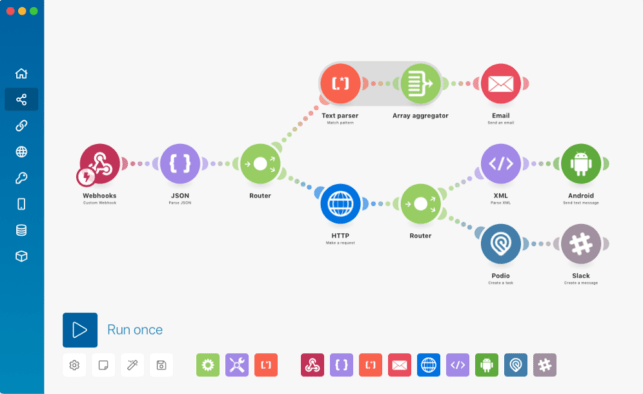
Best for: operations and product teams that want deeper orchestration without infrastructure management.
Enterprise-oriented platforms such as Workato and Tray.ai focus on governance, scalability, and monitoring. They are often selected by larger organizations where auditability and compliance matter as much as automation itself.
Workato
Workato operates at the enterprise layer. It focuses heavily on governance, auditability, and compliance. AI steps can be embedded within orchestrations, but the platform is designed for structured, IT-managed automation strategies.
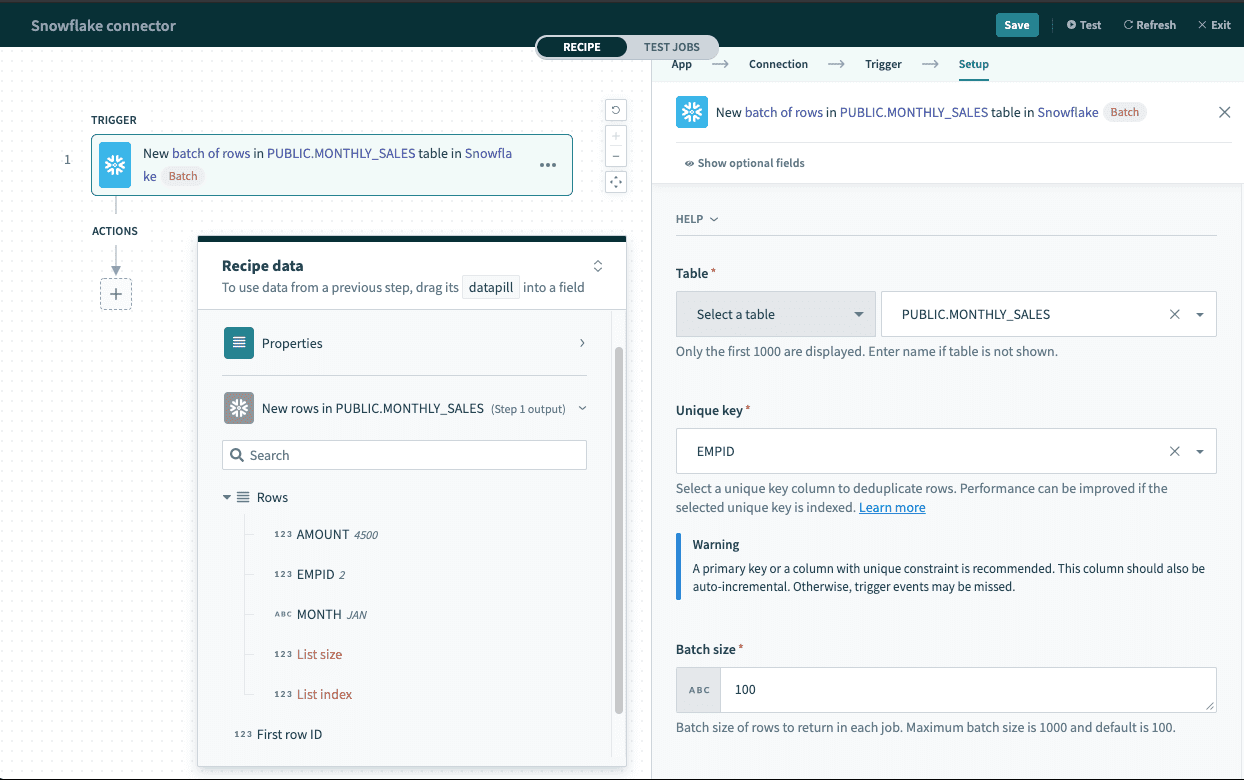
Best for: large organizations requiring governed, scalable automation across departments.
Tray.ai
Tray.io provides API-level orchestration for product and growth teams that need flexible automation embedded in internal systems or customer-facing products. It sits between mid-market and enterprise use cases and supports AI integrations as part of its broader API workflow engine.
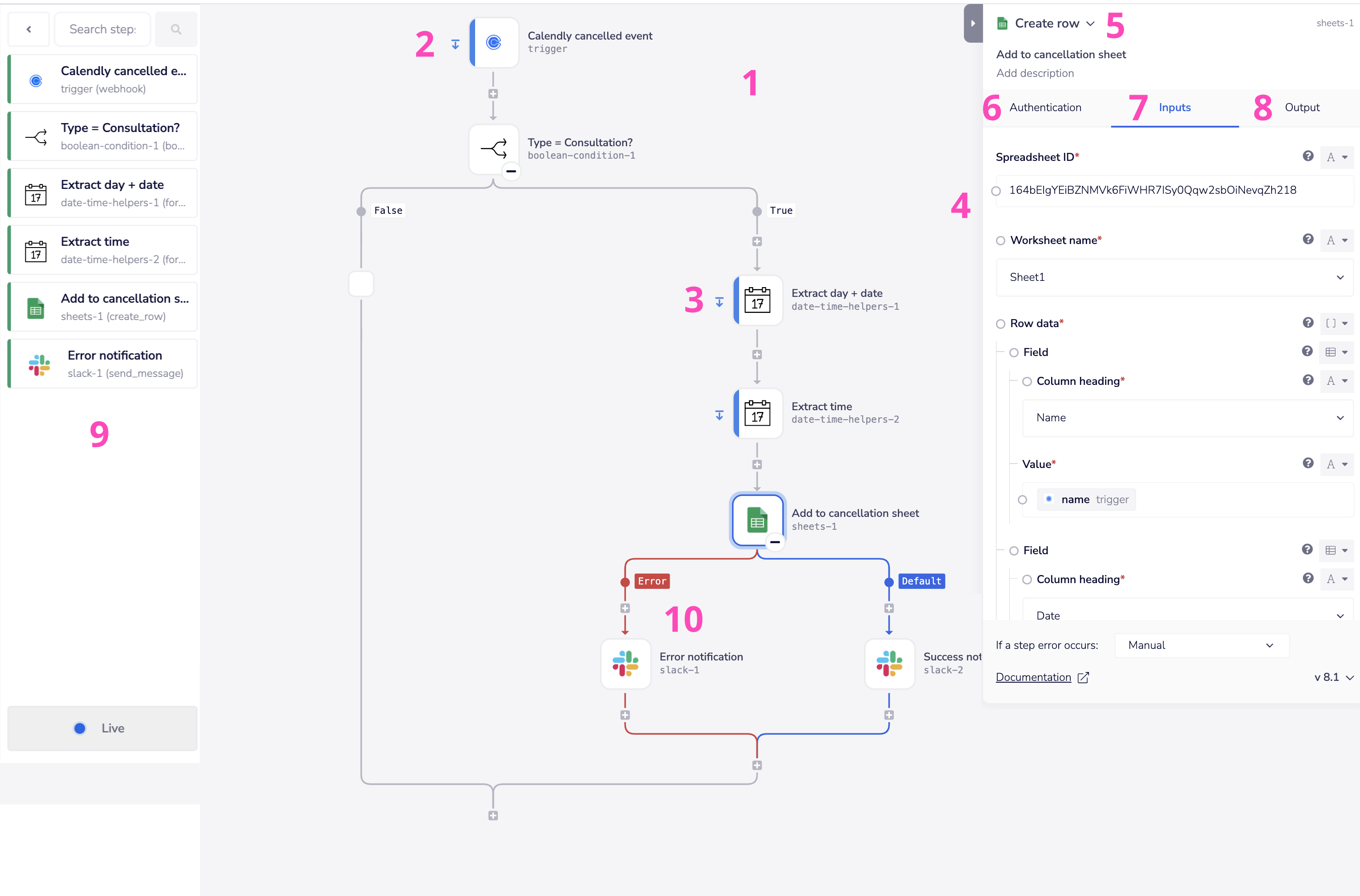
Best for: product-led companies building custom automation into their internal stacks.
Developer-centric orchestration tools such as Pipedream, Apache Airflow, and Prefect extend this layer further into data engineering and event-driven architectures. They allow AI logic to be embedded into pipelines, particularly in analytics or ML-heavy environments.
Pipedream
Pipedream blends event-driven workflows with custom code execution. It’s developer-first and works well when AI logic needs to be embedded into real-time event streams. Because it assumes some coding familiarity, it’s less accessible to non-technical operators.
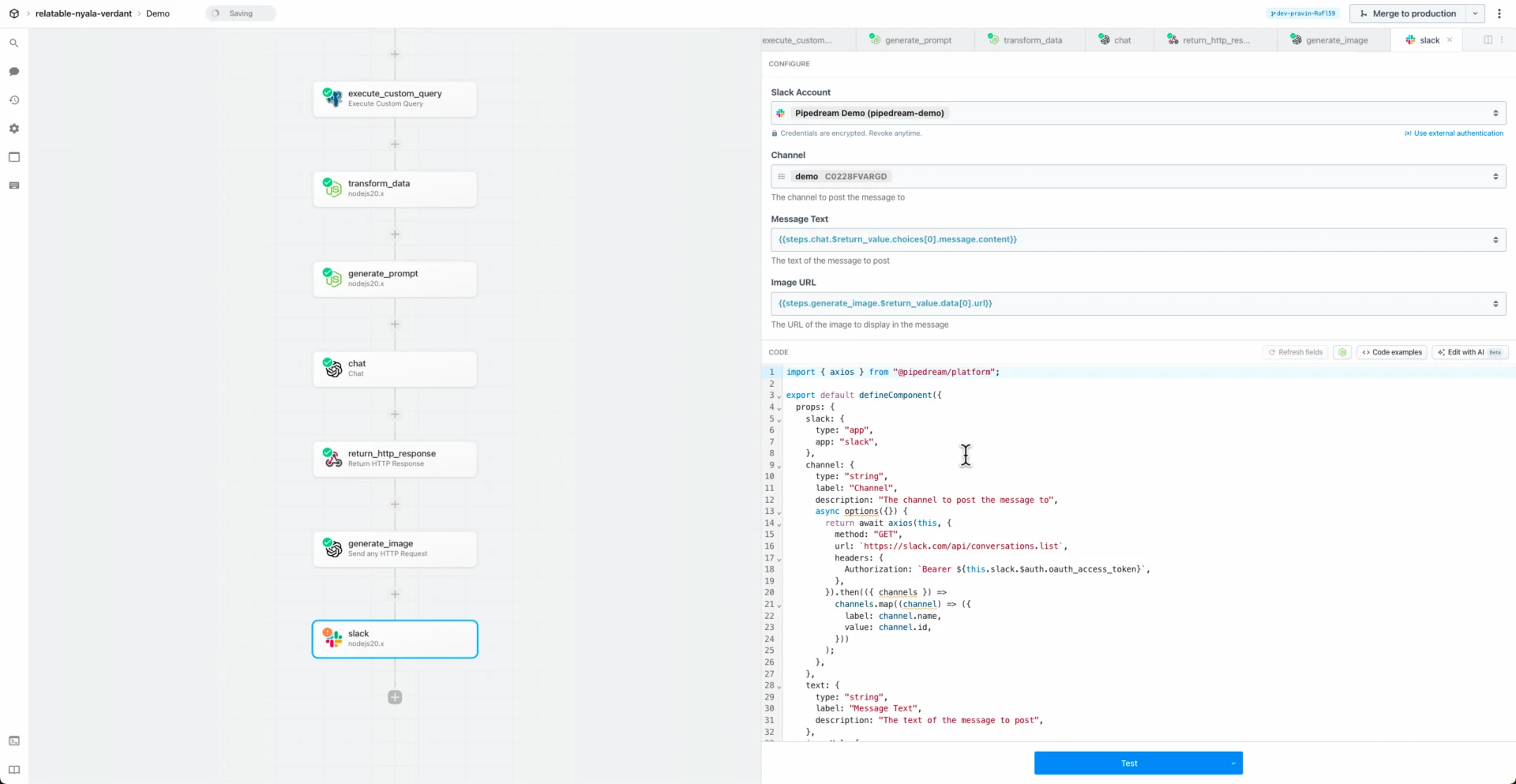
Best for: engineers who want AI orchestration with full code-level control.
This layer is powerful when workflows are autonomous. For example, you might design a flow that triggers when a support ticket is closed, calls an LLM to generate a customer-facing summary, and stores that summary in your CRM. The automation runs. The systems stay in sync. No human intervention is required.
But backend orchestration does not change how a support engineer escalates a ticket or how a RevOps manager enters structured data into a record. It reacts to events. It does not shape behavior inside the application interface. That distinction becomes important when the bottleneck is not data transfer but workflow quality.
Layer 2: Developer-Embedded AI Tools
The second category focuses on accelerating development rather than automating operational workflows.
GitHub Copilot, Cursor, Sourcegraph, Tabnine, and tools like Replit Ghostwriter all sit here. They assist engineers directly in IDEs by generating code, explaining logic, and improving iteration speed.
GitHub Copilot
Copilot accelerates development by generating and refactoring code directly inside IDEs. It reduces friction in writing workflow logic, but it does not orchestrate workflows itself.
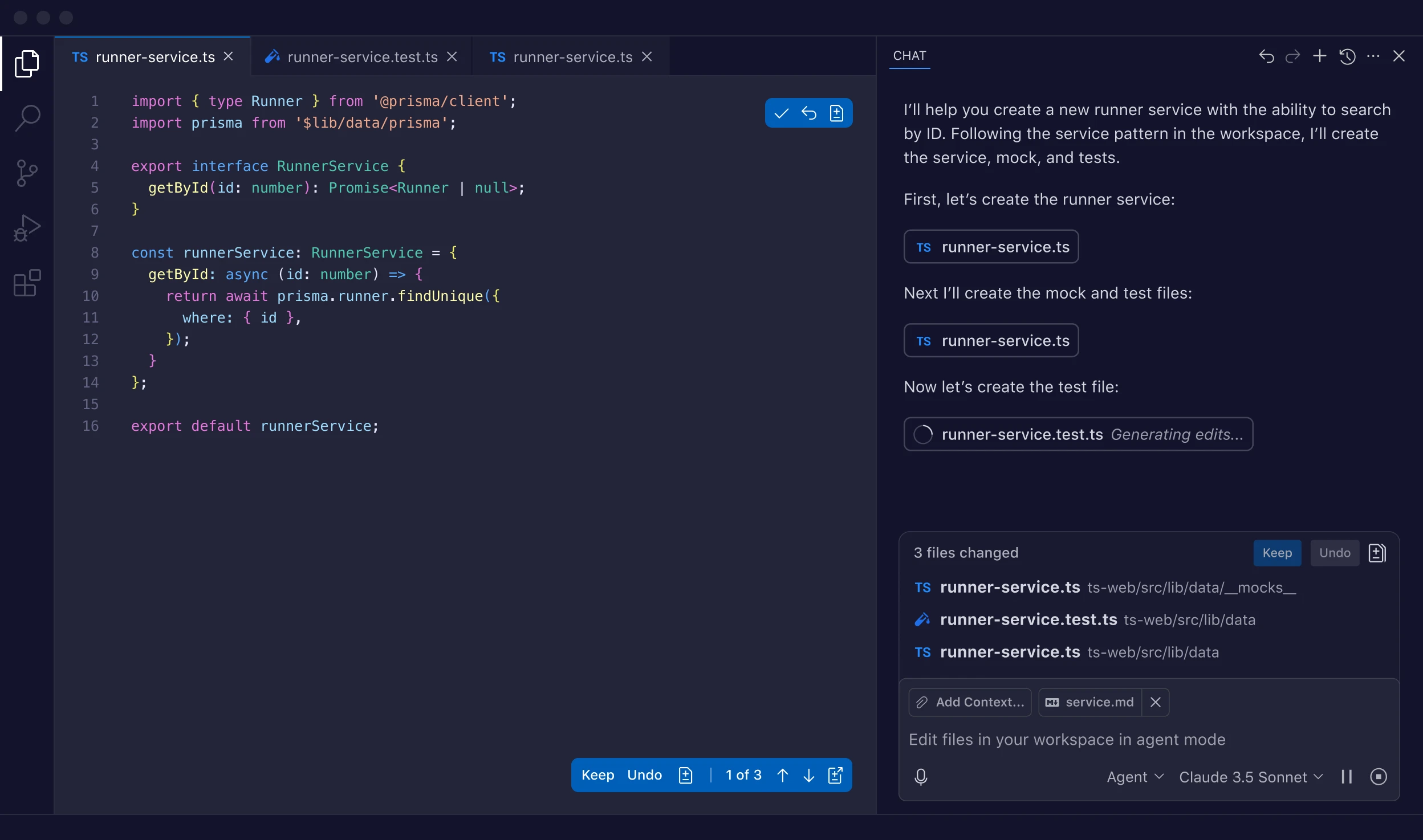
Best for: improving engineering velocity.
Cursor
Cursor integrates AI deeply into the coding experience. It allows developers to reason about and modify larger codebases conversationally.
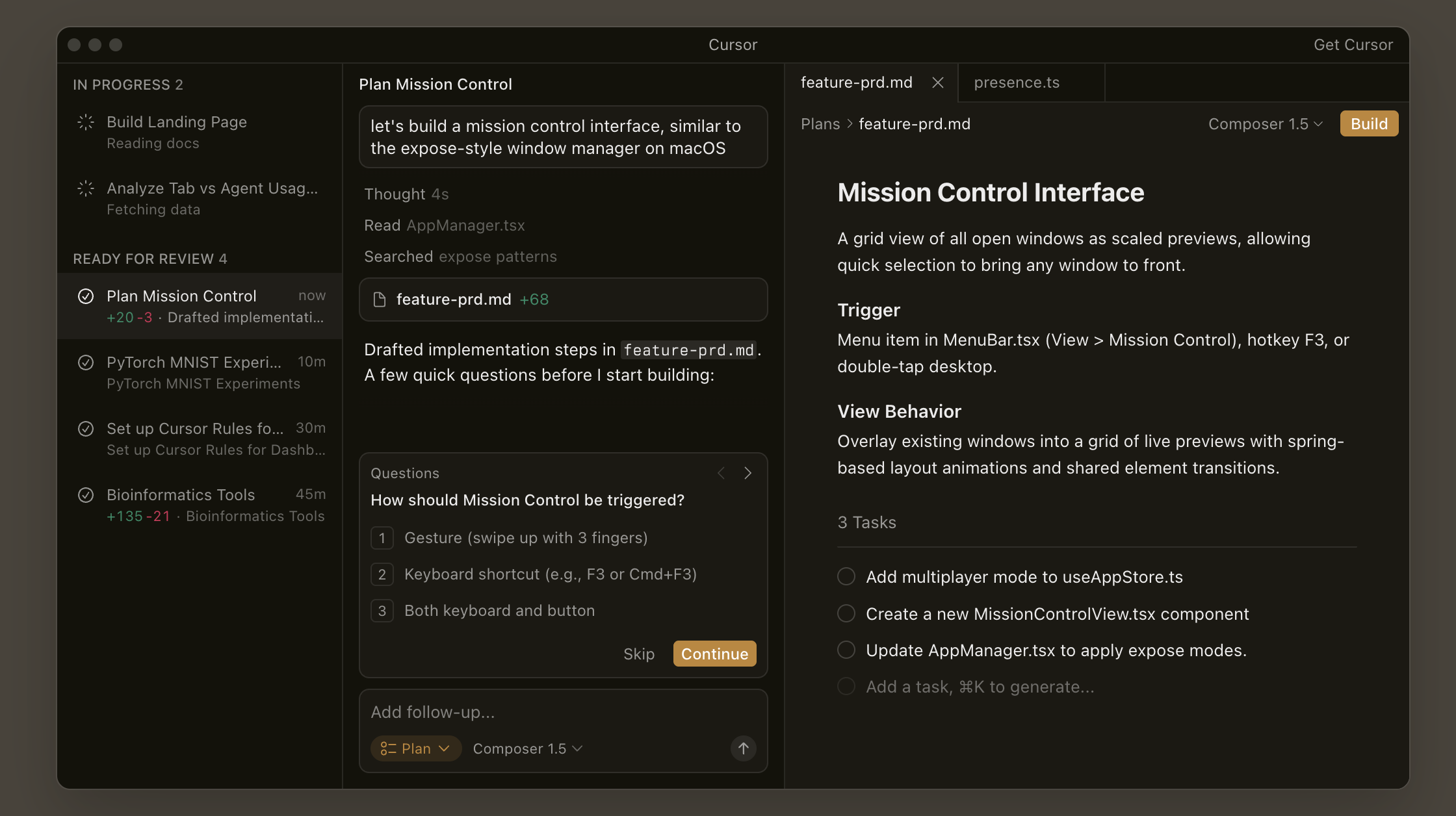
Best for: AI-native coding workflows.
Sourcegraph
Sourcegraph provides AI-powered code search and context retrieval across repositories, helping engineers understand and navigate complex systems.

Best for: teams managing large codebases.
Tabnine
Tabnine focuses on AI autocomplete and code assistance, emphasizing security and on-prem deployment options.

Best for: secure AI coding support.
These tools have transformed development velocity. They reduce time spent writing boilerplate, searching documentation, and debugging simple issues. However, they do not automate cross-functional workflows. They do not enforce structured escalation processes. They do not embed AI inside CRM records or ticketing dashboards. They optimize how engineers build systems. They do not optimize how operational teams execute processes inside those systems.
For many technical organizations, this layer has already been adopted. The productivity gains are real. But it does not address the operational friction that persists across support, sales, and cross-functional collaboration.
Layer 3: In-Application AI Workflow Automation
The third layer is where AI meets the actual moment of work.
Instead of calling AI in the background or assisting developers in an IDE, this category embeds AI directly into the interface where users operate.
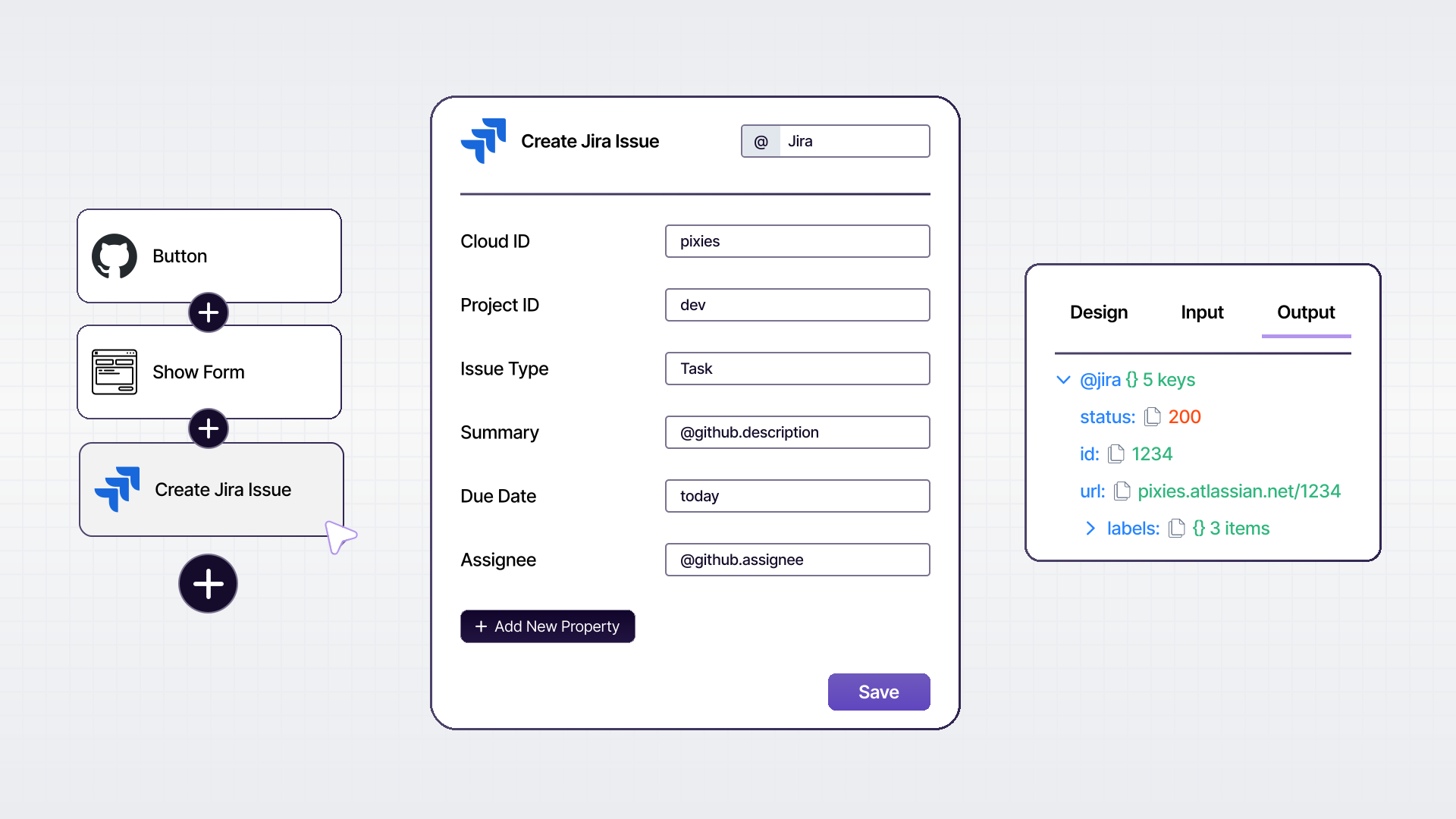
This is where tools such as PixieBrix differentiate themselves. Rather than triggering workflows behind the scenes, PixieBrix runs inside the browser and can add contextual UI elements, structured input forms, validation rules, and AI-assisted drafting steps directly within SaaS tools.
PixieBrix
PixieBrix runs directly inside SaaS applications. It allows teams to add contextual UI elements, structured modals, required fields, and AI-assisted drafting into live workflows. Instead of triggering AI after an event, PixieBrix embeds AI at the moment of decision. This enables structured escalation processes, AI-assisted CRM enrichment, guided approvals, and context-aware task routing without requiring users to leave the application.
Best for: technical teams focused on workflow consistency and reducing human friction.
AI-first workflow platforms such as Gumloop, Vellum, Lindy, and Activepieces are also part of this evolving landscape. They focus on building AI-native workflows through visual builders or agent-style logic.
Gumloop
Gumloop is an AI-native workflow builder that allows users to visually construct AI-driven automations. It focuses on making LLM workflows accessible without writing code.

Best for: AI-centric teams prototyping intelligent workflows.
Vellum
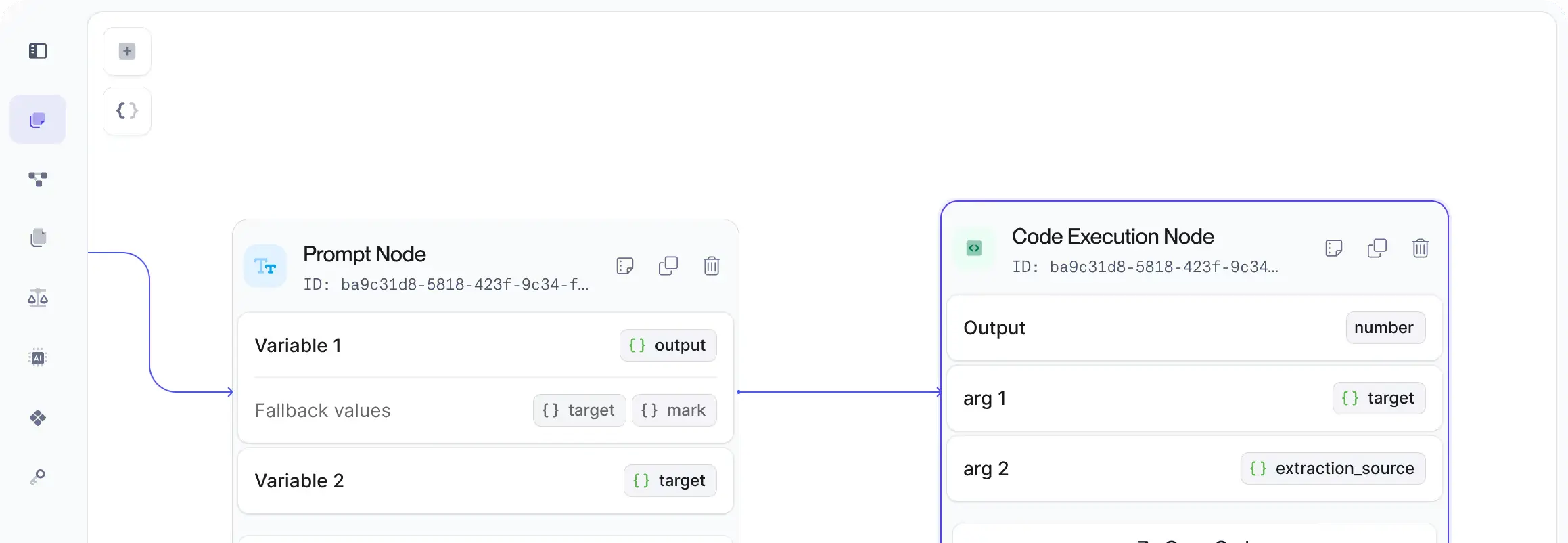
Vellum emphasizes prompt management, testing, and deployment of AI workflows, particularly for teams building AI-powered applications.
Best for: structured AI workflow experimentation and evaluation.
Lindy
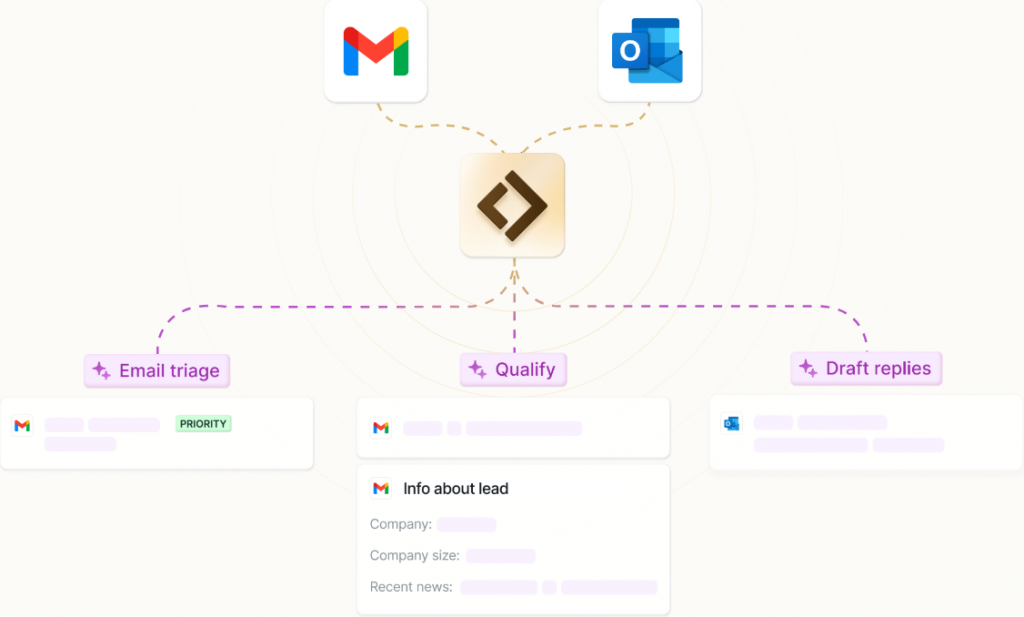
Lindy focuses on AI agents that automate repeatable tasks through conversational logic and structured automation flows.
Best for: teams exploring agent-driven process automation.
Activepieces
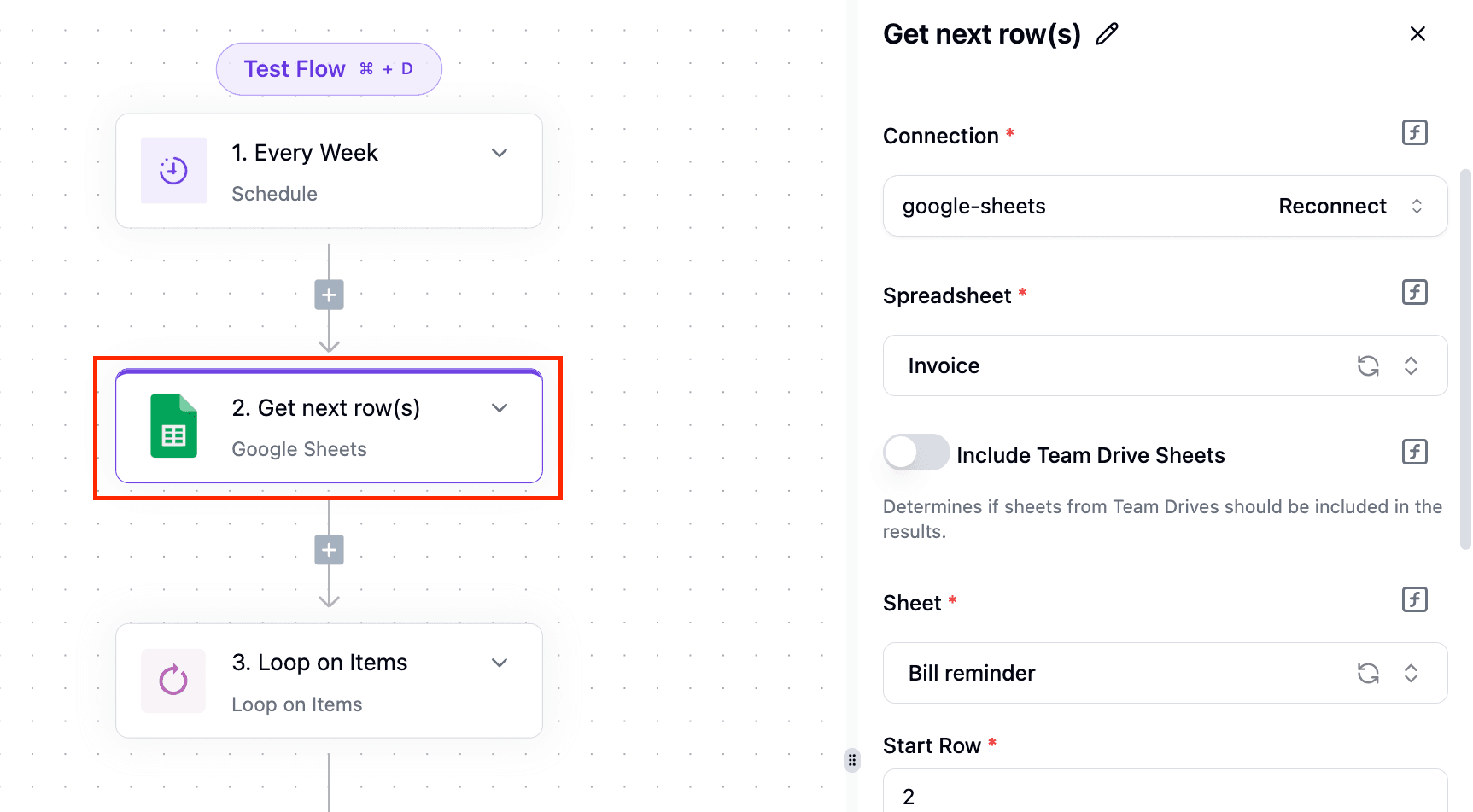
Activepieces provides open-source workflow automation with growing AI support. It is conceptually similar to n8n but aims for simplicity and community-driven extensibility.
Best for: open-source enthusiasts building backend AI workflows.
What distinguishes true in-app workflow automation is not simply that AI is involved. It is that the workflow becomes structured, visible, and governed at the point of action. To understand why this matters, consider three practical examples.
Deep Workflow Example 1: Structured Support Escalation
Imagine a technical support team handling complex customer issues. In a backend orchestration model, a workflow might trigger when a ticket is labeled “Urgent.” An LLM generates a summary. The summary is sent to Slack. A Jira issue is created.
Technically, the automation works.
But the engineer escalating the issue still has to decide what context to include. Required fields may be skipped. Summaries may vary in format. Important metadata might be missing.
Now imagine the same process in an in-application model.
A new “Escalate” button appears directly inside the ticket interface. When clicked, a structured modal opens that requires fields such as severity, customer impact, reproduction steps, and environment details. The system automatically pulls contextual data from the page. An AI-generated draft summary appears, formatted according to engineering standards. The support engineer edits and approves it. Only then does the system create a Jira issue and notify the relevant Slack channel.
The difference is not automation versus no automation. The difference is workflow quality.
Backend tools trigger events. In-app automation enforces process.
Deep Workflow Example 2: CRM Data Enrichment for RevOps
A RevOps team wants AI to enrich inbound leads with additional context. In a Layer 1 setup, a new contact triggers a workflow. The system calls an enrichment API and stores the output in the CRM. That helps with data population, but it does not guide how reps use the data.
In a browser-native workflow, when a sales rep opens a contact record, an AI enrichment panel appears in context. The rep can generate an account summary, pull competitive insights, or validate required fields before moving the opportunity stage. Structured prompts ensure consistency. Missing information is flagged before the record can be advanced.
Instead of enriching data passively, the workflow actively shapes behavior.
That is a fundamentally different operational outcome.
Deep Workflow Example 3: AI-Guided Incident Postmortems
Consider an engineering team running incident reviews. With backend automation, when an incident is resolved, the system might generate a summary and populate a document.
In an in-app model, when an engineer opens the incident record, a guided postmortem workflow launches. The interface enforces structured inputs such as timeline, root cause, mitigation steps, and long-term fixes. AI suggests draft language based on logs and metadata, but the engineer reviews and edits it in context.
The final output is not just auto-generated text. It is a structured, governed artifact created with AI assistance inside the workflow itself.
This reduces rework, improves consistency, and makes knowledge capture systematic.
Final Thoughts
AI workflow automation is no longer about who can call a model API. It’s about where that intelligence lives. Backend orchestration tools like n8n, Zapier, and Make move data efficiently between systems. Developer AI tools accelerate code creation. Both matter.
But if your team still feels friction - inconsistent inputs, manual rewrites, broken handoffs, missing context - the bottleneck likely isn’t in your pipelines. It’s in your workflows.
The most effective technical stacks in 2026 don’t replace one automation tool with another. They layer them intentionally. Backend orchestration handles system events. In-app automation shapes execution. AI supports decision-making at the moment it matters.
When intelligence is embedded directly into the workflow - not just triggered behind the scenes - automation stops being invisible and starts improving how teams actually operate.
That’s the shift.